What Changed and Why
Festi CLI 7.1.0 made the commands explain themselves, which is what lets an agent discover them. 7.2.0 gives agents and developers more to do with them: operating plugins, finding the code behind a page, and running the development process from the command line, without steps that only a person at a keyboard could complete.
Problem
To find the method behind a URL you had to read the URL rules table and match patterns by eye. A plugin that lives in its own repository was set up by hand: add the submodule, find its install SQL, copy it into a migration, and remember to repeat that when the plugin changed. The data access layer of a new plugin started as the same boilerplate every time.
Migrations had their own friction. SQL written against a development database had to be moved into a numbered file by hand and marked as applied. A value that differed between installations, or a secret, had nowhere to live except the migration itself. And when a command failed there was no way to ask it what it had run. Each of these is a nuisance for a developer and a dead end for an agent, which cannot read a routing table by eye or answer a prompt that waits forever.
Solution
7.2.0 adds a tenth command, festi-route, that answers the URL question directly. festi-plugin gains three modes: install and update for plugins from their own repository, and dao for generated data access code. festi-make-migration --develop promotes a working SQL file to a migration, migrations can read values from a config file, and every command accepts --verbose. The installer can replace a previous installation in one step, with guard rails on what it is allowed to delete. And a command that needs an answer it cannot get now fails with an error instead of asking again forever, so an unattended run ends instead of hanging.
Feature Highlights
festi-route: from a URL to the code
festi-route tells you which plugin method a URL of the project is routed to, so you can open the code behind a page without reading the URL rules table. It only reads the rules and the code. No request is sent to the method.
$ festi-route "/test13/"
TestPlugin::onDisplayTest:125
The answer is the class or trait that declares the method, the method and the line it starts on. The URL can be pasted from the browser as it is: the host and the query string are ignored.
$ festi-route "https://app.example.com/report/42/?page=2" --area backend
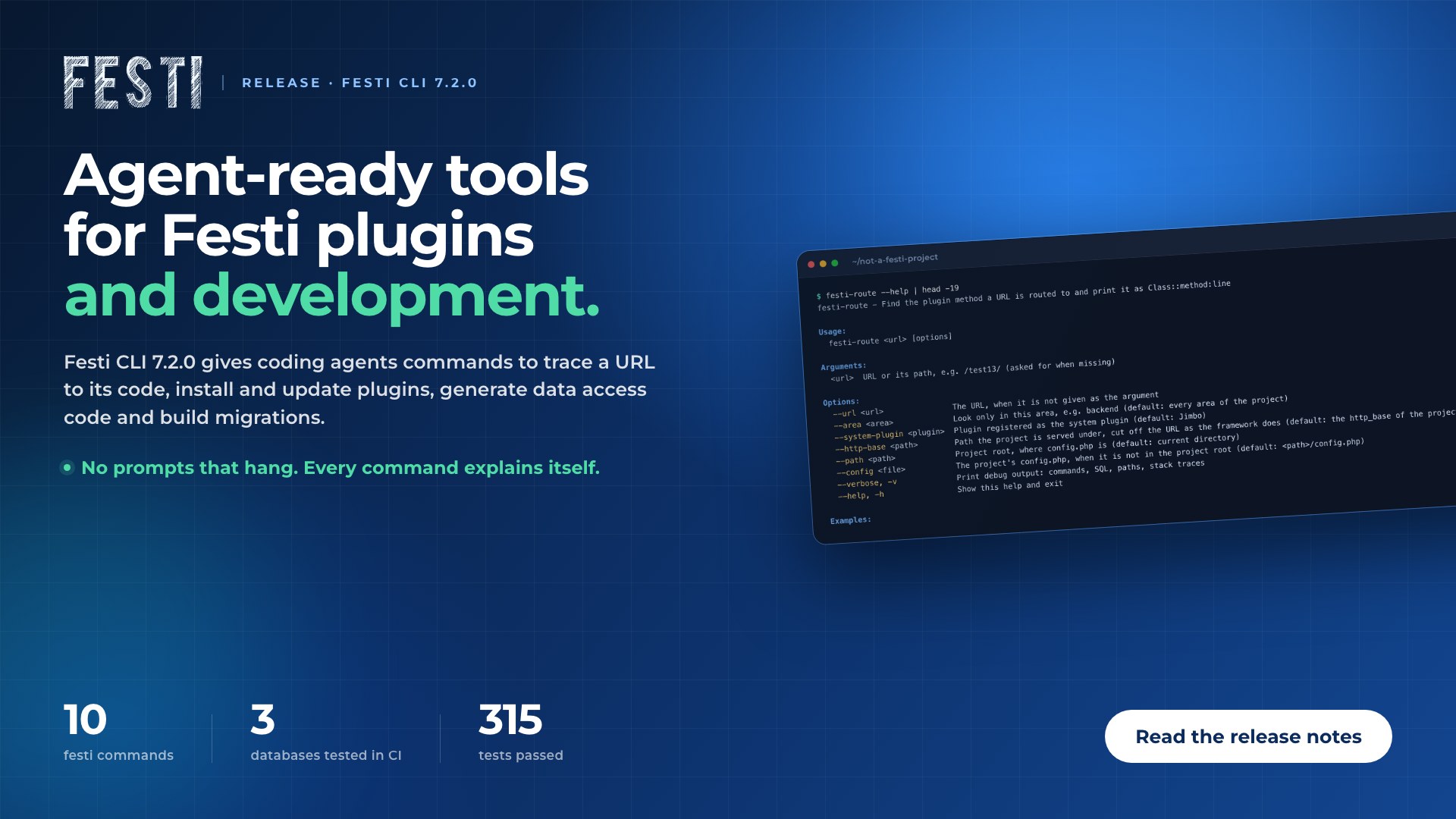
When several rules match, each is printed with its area and pattern, and the one this installation routes by is marked as used. Like every Festi command it documents itself. Here is the top of its help page, run from a directory that is not a Festi project:
$ festi-route --help | head -19
festi-route - Find the plugin method a URL is routed to and print it as Class::method:line

Usage:
  festi-route <url> [options]

Arguments:
  <url>  URL or its path, e.g. /test13/ (asked for when missing)

Options:
  --url <url>               The URL, when it is not given as the argument
  --area <area>             Look only in this area, e.g. backend (default: every area of the project)
  --system-plugin <plugin>  Plugin registered as the system plugin (default: Jimbo)
  --http-base <path>        Path the project is served under, cut off the URL as the framework does (default: the http_base of the project, or /)
  --path <path>             Project root, where config.php is (default: current directory)
  --config <file>           The project's config.php, when it is not in the project root (default: <path>/config.php)
  --verbose, -v             Print debug output: commands, SQL, paths, stack traces
  --help, -h                Show this help and exit

Examples:
Plugins from their own repository
A plugin that lives in a repository of its own is set up in an existing project with one command:
$ festi-plugin --mode install --path ./src/dashboard/ --dump ./dumps/ \
    --plugin Contents --repository [email protected]:FestiPlugins/PHP_Festi_Plugin_Contents.git
It adds the repository as a git submodule, copies the plugin's install SQL into the dumps directory as a new migration, and applies the migrations the database does not have yet. The SQL goes through a migration of the project on purpose: that is how every other database of the project gets the plugin. Commit the submodule and the new migration together. When anything fails, the plugin folder and the migration are removed again.
After you take a newer version of the plugin, --mode update applies what it brought, and only when the plugin's update SQL changed since the project last took it. Each generated migration starts with a line that records what was taken:
-- festi-plugin: <plugin> <file> sha256=<hash>
Generated data access code
festi-plugin --mode dao writes search, get, add, change and remove methods for the tables you name into the plugin's DataAccessObject. The first table is the main one, and on request it also creates a values object for it.
$ festi-plugin --mode dao --plugin Shop --tables orders,orders_items --values_object n
$ festi-plugin --mode dao --plugin Shop --tables orders --values_object y --entity Order
Migrations from a working file
While developing, keep your SQL in dumps/develop.sql and run it against your own database. When the change is ready, one command turns that file into the next updates<timestamp>.sql:
$ festi-make-migration --develop
$ festi-make-migration --develop=./sql/feature.sql --dump ./dumps/
$ festi-make-migration --develop --not-applied
The file is renamed, its content is not changed, and the migration is recorded as applied to your database, because its SQL already ran there. festi-migrate then runs it only on the other databases. Use --not-applied for a file you wrote by hand and never ran.
Config values in SQL migrations
A migration can take a value that differs between installations, or that must not be committed, from config.php in the dumps directory. The migration names the value as %%name%%:
INSERT INTO ticketing_systems (caption, redirect_uri, client_id, client_secret)
VALUES ('Discord', 'https://%%host%%/callback/discord/', '%%discord_client_id%%', '%%discord_client_secret%%');
<?php
// dumps/config.php

return [
    'host'                  => 'app.example.com',
    'discord_client_id'     => getenv('DISCORD_CLIENT_ID'),
    'discord_client_secret' => getenv('DISCORD_CLIENT_SECRET'),
];
A parameter that the config does not define stops festi-migrate before the migration is applied, and nothing is recorded as applied. Keep config.php out of git when it holds secrets and commit a config.dist.php that lists the keys.
Saving the SQL a tool runs
The tools that generate SQL accept --schema. The SQL of the run is saved as a new migration, or appended to the file you name with --schema=<file>. Nothing is saved when the run fails or changes nothing, and the saved SQL can be replayed on another database.
Verbose mode on every command
Every festi-* command accepts --verbose or -v and then prints the commands it executes, the SQL that changes the database, the paths it resolved, and a stack trace on failure. The quiet default got quieter too: migration SQL is no longer printed unless you ask for it.
Reinstall with guard rails
festi-install --force y removes the previous installation and drops the tables of the configured database before installing. It asks for confirmation when interactive and lists the tables it drops. It refuses the root directory, the home directory, a folder that is not a Festi project, and a database that has never been migrated.
Benefits & Impact
A toolset agents can operate
Every step in this release is a single command with documented options, a clear result and an error when it cannot proceed. That is what a coding agent needs to work on a Festi project on its own: look up the code, add a plugin, generate the data layer, produce the migration, and read back what happened.
Faster debugging
A bug report usually starts with a URL. One command now takes you from that URL to the class, method and line, without a request and without reading routing tables.
Plugins that stay in sync
Installing a plugin through a migration means every database of the project gets the same SQL, and the recorded hash means an update is applied once, when something actually changed.
Less boilerplate
The first hour of a new plugin no longer goes into writing the same five data access methods per table. They are generated to the coding standard and ready to extend.
Migrations that match how you work
Write SQL while you develop, promote it when it is ready, and keep installation specific values and secrets out of the repository. A missing value stops the run before anything is applied.
Answers when something fails
Verbose mode shows what a command ran, and its stack traces leave out frame arguments, so database credentials do not end up in a terminal or a CI log.
Destructive options you can trust
Force mode deletes only what it recognises as a previous Festi installation. A mistyped path cannot turn a reinstall into a wiped disk.
Conclusion
Festi CLI 7.2.0 extends what can be done on a Festi project from the command line, which is the same as extending what an agent can do on it: find the code behind a URL, add or update a plugin, generate its data access code, and produce the migration. Each of those is now one command.
If you already run Festi, upgrade and point your agent at --help. Then try festi-route on the first URL you are asked about. One thing to check before you do: if you subclass a DGS storage adapter and override one of its column type checks, override createColumnTypes() instead. Want to talk through a Festi project? Get in touch with the team.